The Chronicle
Features · The Chronicle
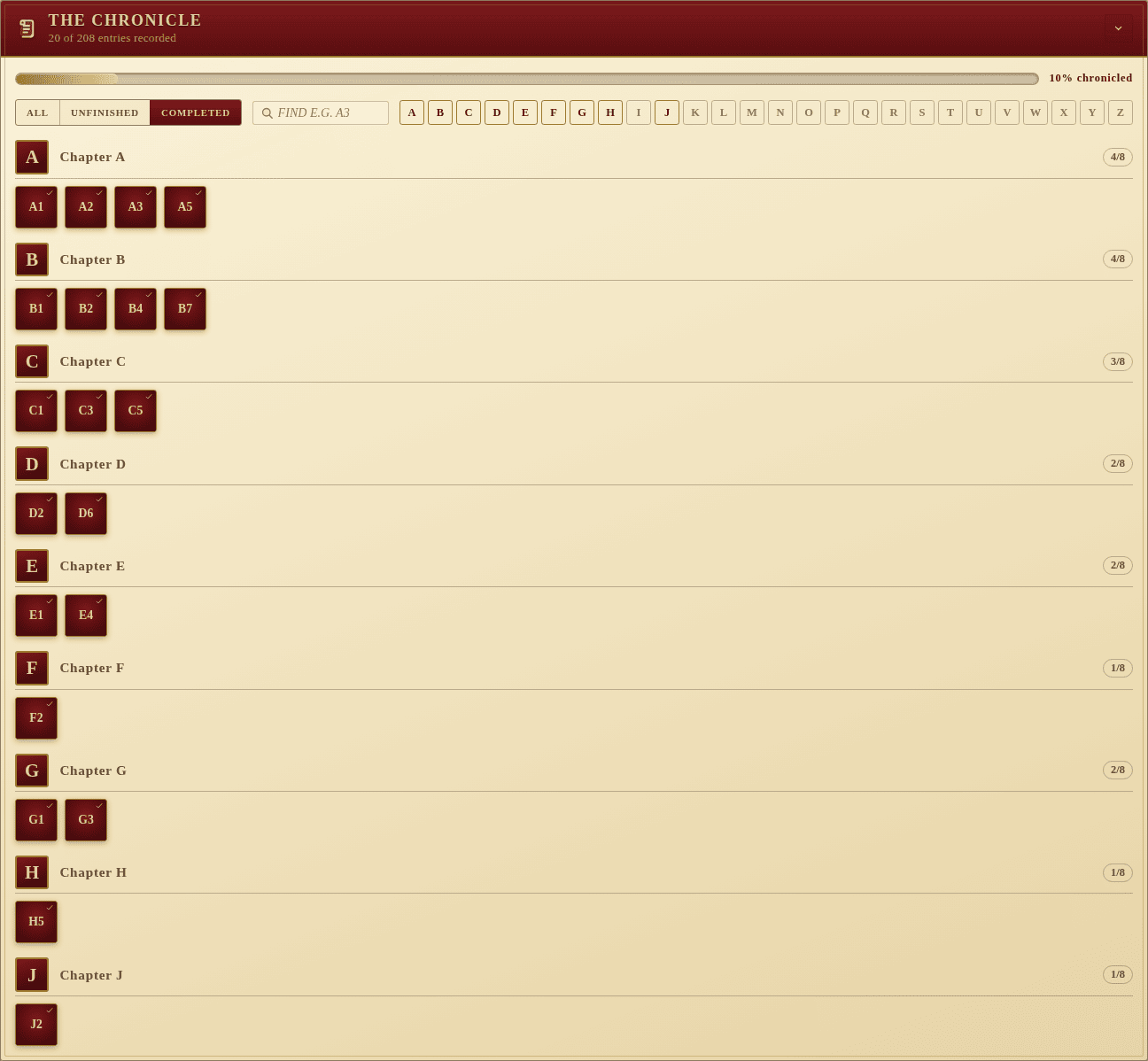
The Chronicle is the campaign’s spine: the A1 to Z8 grid of numbered story entries that Legacy of Dragonholt uses to thread its branching tale. Each entry is either read-and-resolved or still untouched, and the party’s progress through the chronicle is the campaign’s pace.
What you can do
- Tap an entry to toggle it between unread and chronicled. A check mark
appears on chronicled entries and the chapter’s
done / 8counter updates. - Track overall progress via the filled bar across the top — it shows the percentage chronicled.
- Filter to All / Unfinished / Completed with the chips at the top-left. The screenshot above is the Completed view.
- Find an entry by typing a label like
A3into the search box. Only matching entries remain visible. - Jump to a chapter through the A–Z nav strip. Each letter is colour-coded by progress: faded for empty chapters, gold for partial, crimson for completed.
Chapter sections
Below the controls the entries are grouped into chapters, one per letter.
Each chapter has its own header with the letter, the chapter name, and a
done / 8 count, followed by the eight entry tiles.
A1–Z8
The grid is always rebuilt at load time from the canonical 26 × 8 layout,
overlaying any saved isDone flags by label. That means partial or legacy
saves (the original generator skipped the letter “T”) are migrated onto a
well-formed grid with no missing slots — your story state survives upgrades.