The Calendar
Features · The Calendar
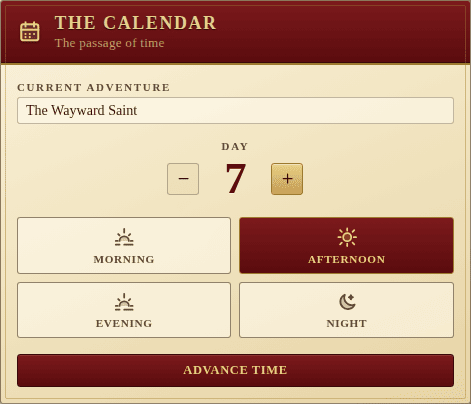
The Calendar tracks the current adventure, the day and the time of day the party is in. It sits in the ledger column next to Gold and Fame.
Fields
- Current adventure — a free-text title for the tale the party is currently telling. Defaults to “Untitled tale”.
- Day — a positive integer with
−/+steppers (can’t go below 1). - Time of day — one of Morning, Afternoon, Evening, Night. Each is a toggle button with an evocative icon.
Advance time
The crimson Advance time button at the bottom of the panel rolls the clock forward one phase. When the time is already Night, advancing wraps around to Morning and increments the day.
The Party’s Long rest action also drives the calendar: it pushes the clock to the next morning and increments the day, so a rest in the wilds is a single tap, not two.
Like every other panel, edits are persisted to the backend and broadcast in real time, so the whole table sees Day 7 turn into Day 8 at the same moment.
Time-of-day theming
The active phase doesn’t just set an icon — the whole page picks it up. A thin colour wash is layered behind every panel so the table can read the hour at a glance, even from across the room. Morning warms the page, evening casts an amber sunset, night drops the room into a deep indigo dusk; afternoon is the neutral baseline.
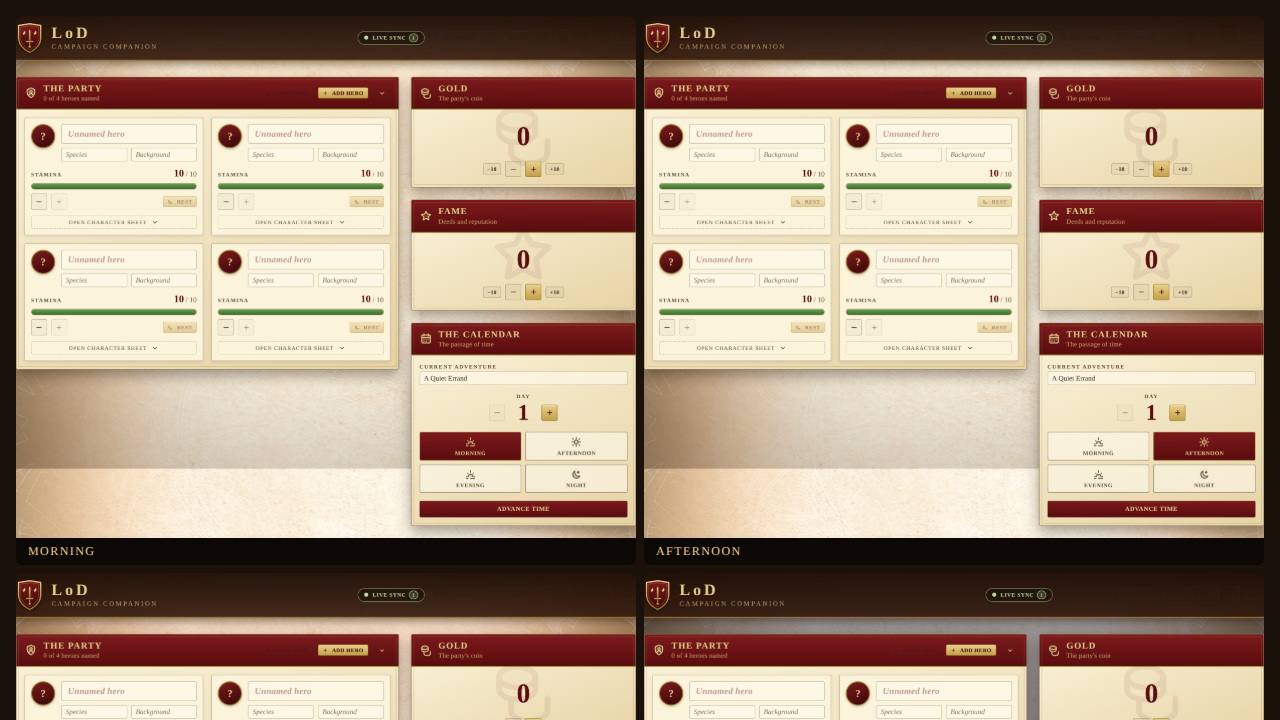
The wash respects the active theme (parchment or candlelight) and uses CSS
blend modes, so panels stay readable in every phase. It’s driven by
useTimeOfDayTheme, which mirrors the calendar’s time field onto
<html data-time-of-day> — no component has to know what colour “evening”
is, and adding a new phase is a single CSS rule.